
Broadcasting live on the internet has become a standard way to share content in real time. In 2026, creators, radio hosts, educators, and event organizers rely on live streaming to reach a global audience instantly. Understanding how to broadcast live on the internet is essential if you want to deliver reliable audio or video content with professional quality.
This guide focuses on live audio streaming, web radio broadcasting, and hybrid audio video streams. You will learn how to build the right setup, choose the best platforms, configure encoder software, adjust bitrate settings, and run a successful live streaming session from a studio or mobile environment.
Why live streaming and live audio still matter ?
Live streaming creates immediacy and connection. Unlike pre-recorded content, a live stream allows direct interaction with your audience during an event, a show, or a broadcast session. Live audio streaming, in particular, remains a powerful format for radio stations, podcasts, DJs, talk shows, and community-based productions.
Many creators prefer live audio because it requires less equipment than video while offering a strong sense of presence. A web radio stream can run continuously, mix live and automated content, and support long-form production without the pressure of being on camera.
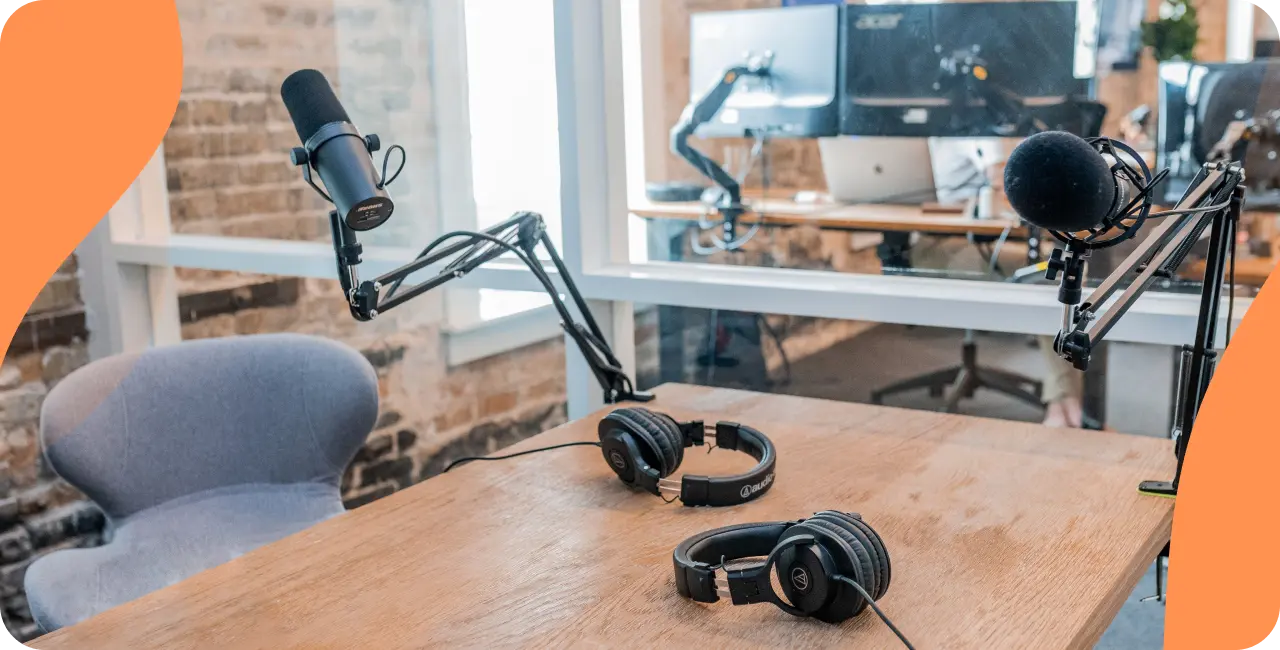
Step 1: Define your live Stream and choose the right platforms
Before you broadcast live, define the goal of your stream. Are you hosting a live radio show, streaming a music event, covering a conference, or producing a weekly talk session ? The format of your content influences your technical choices and your platform strategy.
General video platforms like YouTube support live streaming, but they are not always ideal for audio-first production. Dedicated web radio platforms are designed for continuous streaming, live scheduling, and audio quality control. Many broadcasters use multiple platforms, combining a web radio stream with YouTube or other platforms for promotion.
Step 2 : Build a reliable streaming setup
A professional live streaming setup does not need to be complex, but it must be reliable. Your equipment and configuration directly affect the quality of your stream and the listener experience.
- Microphone and audio equipment suitable for speech or music
- Audio interface or mixer to control levels and sources
- Headphones for monitoring during the live session
- Computer or mobile device with a stable internet connection
If you plan to include video, a basic camera can be added to your setup. Even if your main focus is audio, some creators use a camera for hybrid events or YouTube simulcasts.
Always test your equipment before going live. A short test stream helps identify issues with sound levels, hardware connections, and latency.
Step 3: Encoder software and stream configuration
An encoder is required to broadcast live on the internet. Encoder software captures your audio or video sources and sends them to your streaming platform.
Popular encoder software includes tools designed for radio broadcasting as well as general live streaming software. Many web radio services also provide browser-based encoders that simplify the process.
During setup, the platform provides a stream key. This key connects your encoder to the live server. Enter it carefully and verify your connection before starting the session.
Step 4 : Bitrate, audio settings, and stream quality
Correct streaming settings are essential for stability and quality. The bitrate determines how much data is transmitted during your live stream. If the bitrate is too high, the stream may buffer. If it is too low, audio quality will suffer.
- Bitrate between 128 and 192 Kbps for talk-based audio
- Bitrate up to 320 Kbps for music production
- Sample rate set to 44.1 or 48 kHz
If video is included, resolution and frame rate should match your internet capacity. Always test settings before a live event or production session.
Step 5: Running a live streaming session
Once your setup and encoder are ready, you can start your live stream. Begin by clearly introducing the session and explaining what the audience can expect. Live engagement helps retain listeners and improves overall content performance.
A live session can include multiple sources such as microphones, music playlists, pre-recorded segments, or external audio feeds. Mixing these sources creates a richer production and keeps the stream dynamic.
Most platforms allow recording of the live stream. Recorded sessions can later be reused for podcasts, replays, or promotional content.
Mobile streaming and remote broadcasting
Mobile live streaming allows you to broadcast from almost anywhere. With a smartphone, mobile encoder software, and proper audio equipment, you can stream live events, interviews, or reports outside the studio.
Mobile sessions require careful testing. Always check connection stability, audio quality, and battery levels before starting a mobile stream.
Web radio platforms vs Video streaming platforms you shouldn’t overlook
Video platforms such as YouTube focus on visual engagement and algorithm-driven discovery. While useful, they offer limited control over audio production workflows.
Web radio platforms are built specifically for audio streaming. They support continuous broadcasting, scheduling, automation, and detailed control over content and sessions. For long-term projects, a dedicated platform offers more flexibility and ownership.
FAQ :
Do I need a camera to broadcast live on the internet ?
No. A camera is optional. Many live streams are audio-only, especially for web radio, podcasts, and talk shows. A camera may be useful for hybrid events or YouTube sessions.
What equipment is required for live audio streaming ?
Basic equipment includes a microphone, audio interface, headphones, encoder software, and a stable internet connection. Additional equipment depends on the complexity of your production.
Can I test my stream before going live ?
Yes. Running a test stream is strongly recommended. Many creators test privately on platforms like YouTube or use test modes provided by their web radio platform.
Is live streaming suitable for recurring events ?
Absolutely. Live streaming works well for recurring sessions, radio shows, and scheduled events. Automation tools allow you to combine live and pre-recorded content easily.
Live streaming technical checklist
- Audio equipment connected and tested
- Encoder software configured with correct stream key
- Bitrate and sample rate properly set
- All audio sources verified
- Test session completed before production
Start broadcasting live with a web radio platform
If you want full control over your live streaming production, a professional web radio platform offers the tools needed to broadcast live on the internet with confidence. From studio-based shows to mobile sessions, the right platform simplifies setup, improves reliability, and supports long-term growth.