
Starting your own online radio station is an exciting endeavor, offering endless opportunities to share your voice and connect with a global audience. But like any broadcast project, success starts with the right radio equipment and a clear plan to compare options. In this guide, you’ll find a practical list to help you add the best gear, understand price levels, and buy what fits your studio, your station goals, and your audio standards—whether your needs are regular, special, high-end, or budget-friendly.
1/ Microphones
2/ Mixing desks
3/ Headphones
4/ Optional accessories
5/ Live broadcasting software
6/ Hosting provider
Equipment for a Radio Station: Why quality matters
Your listeners may tune in for the content, but they’ll stay for the quality. Crackly audio, uneven sound levels, or background noise can quickly turn away even the most interested audience. Investing in high-performance radio gear at the right price helps every broadcast feel professional—so your station earns trust fast.
Reliable equipment doesn’t just improve audio and quality; it also gives you better control in your studio, reduces technical issues, and makes it easier to add new tools over time. Use this list to compare regular setups with special upgrades, check info, and buy what truly matches your broadcast workflow.
1. Microphones: The voice of your station
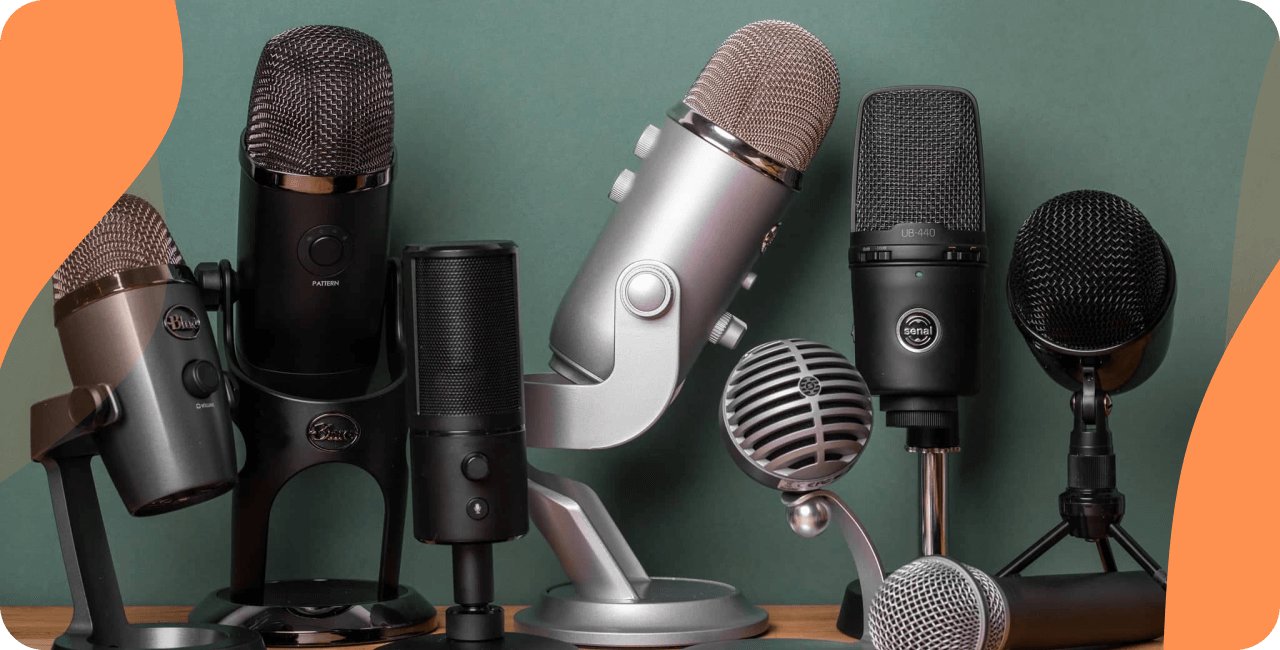
The microphone is arguably the most important piece of equipment for a radio station. It captures your voice and translates it into clear, compelling audio for every broadcast. Choosing the right mic depends on your type of show, price target, and studio constraints (from compact desks to full rooms). Below, we compare USB vs XLR microphones and show what to add first for regular or special needs.
USB Microphones
USB microphones are perfect for beginners or those who prioritize simplicity. These microphones connect directly to your computer via USB, eliminating the need for additional gear like mixers or interfaces. They’re easy to set up, easy to view in your system settings, and can deliver impressive quality for the price—ideal for a regular home studio where you want to hit play and go live fast.
- Blue Yeti USB Microphone: A top pick among podcasters and radio hosts, the Blue Yeti stands out for its versatility. It offers four recording patterns, including cardioid (perfect for solo broadcast) and omnidirectional (great for group discussions). Its built-in gain control and mute button add convenience, making it a fantastic choice when you want to compare value vs price before you buy.
- Rode NT-USB: Known for its studio-style sound, the Rode NT-USB comes with a pop shield and a tripod desk stand, making it a simple pack. It’s a good mic if you want crisp audio, quick setup, and reliable quality without extra hardware.
XLR Microphones
If you’re aiming for a professional-grade studio setup, XLR microphones are the gold standard. They provide superior audio quality, better control of dynamics, and often a wider usable range, but they require additional equipment such as a mixing desk or interface. Always check comptability with your inputs, and consider whether your setup needs a dual channel path for guests.
- Shure SM7B: A staple in the broadcasting world, the Shure SM7B is revered for its warm, natural sound and excellent noise isolation. It’s particularly suited for vocal work, making it a favorite among radio hosts. The SM7B also features built-in shielding against electromagnetic hum, which is ideal for setups with multiple electronic products in the studio.
- Audio-Technica AT2020: If you’re looking for an affordable yet reliable XLR microphone, the AT2020 is a solid choice. Its wide response makes it versatile for vocals and music, and it’s a smart pick when you want to compare performance and price for a growing station.
2. Mixing Desk: The control center
Once you’ve chosen your microphone, the next essential piece of equipment for a radio station is a mixing desk. A mixing desk allows you to manage multiple audio sources, control volume levels, and add processing for a clean broadcast. This is where you route a mic, a music player, and sometimes an external receiver or transceiver if your workflow includes off-site inputs.

Why a mixing desk is essential
A mixing desk is invaluable for live broadcast. Whether you’re balancing your voice with background music or taking live calls, a mixer gives you complete control over your audio output. It’s particularly useful for larger setups involving co-hosts, multiple microphones, or external sound sources. If you plan to add more channels over time, a mixer also helps maintain consistent quality at a controlled price.
Top mixing desk recommendations
- Yamaha MG10XU: Compact, powerful, and easy to use, the Yamaha MG10XU is a versatile mixing desk perfect for small to mid-sized radio station setups. With 10 input channels, it can handle multiple audio sources. The built-in effects act like a light processor (reverb, compression), and its USB interface helps you connect to your computer for online broadcast.
- Behringer Xenyx 802S: A budget-friendly alternative, the Behringer Xenyx 802S offers eight input channels and built-in preamps for clear audio. Despite its lower price, it includes essential features like EQ controls and USB connectivity—an easy way to buy a solid mixer and add control to your studio.
For simpler setups, an audio interface like the Focusrite Scarlett 2i2 can serve as an alternative to a mixer. It’s compact, user-friendly, and works well with XLR microphones, providing a high-quality connection to your computer—great if you want fewer controls but consistent quality for a regular broadcast.
3. Headphones: Monitor like a pro
Monitoring your audio in real-time is crucial for ensuring consistent quality. That’s where a good pair of headphones comes in. Headphones let you hear exactly what your audience hears during a broadcast, allowing you to catch issues like distortion, background noise, or level jumps in your studio before they affect your station.
What to look for in headphones
- Sound Isolation: Blocks out ambient noise, so you can focus on your broadcast.
- Comfort: Essential for long sessions behind the mic, especially during regular shows.
- Accurate Sound: Ensures you hear the true audio output, including drivers detail and stereo balance.
Top headphone recommendations
- Audio-Technica ATH-M50X: These headphones are a favorite among audio professionals for their balanced sound profile and exceptional clarity. They’re durable, comfortable for extended use, and provide excellent sound isolation, making them ideal for any radio station that wants high quality monitoring.
- Sony MDR-7506: A classic choice in the industry, the Sony MDR-7506 headphones are lightweight and deliver detailed sound. Many hosts pick them as a dependable headset for long sessions, and they’re easy to compare across shops because the price is widely listed.
4. Optional accessories to enhance your setup
While the essentials are covered, a few optional accessories can elevate your broadcasting experience—especially if you want a more special setup or you plan to add mobile capability. These accessories also help cover different recording situations (home studio, events, or outdoor air recordings).
- Microphone Stands: Keep your microphone stable and positioned correctly for optimal audio quality. Adjustable boom arms are useful in a compact desk layout.
- Pop Filters: Minimize plosive sounds for cleaner audio. A simple option is a standard pop filter you can add at low price.
- Shock Mounts: Prevent vibrations and handling noise from reaching your mic.
- Acoustic Panels: Improve the acoustics of your recording space by reducing echo and background noise in the studio.
- Antenna & wireless extras: If you run remote segments, an antenna, a receiver, and portable pack gear with battery support can extend range. For convenience, some options include bluetooth and dual connectivity.
5. Live broadcasting software
Alongside hardware, broadcasting software is a vital part of your setup. Programs like Mixxx and VirtualDJ allow you to manage playlists, stream live, and interact on air. They help you play content, view levels, and keep audio consistent. If you want to compare tools, look at stability, routing info, and how well they connect to your mixer, microphone, and headphones for a reliable broadcast workflow.
Some broadcasters also connect external devices (like a camera for video streams) and may use a dual PC setup. In that case, check software type, latency, and whether your system drivers are up to date to avoid drops during a special show.
6. Hosting provider
Although it’s not technically a piece of equipment, or software that you need to download, you will need a radio hosting provider. Platforms such as RadioKing provide you with an online stream that you can manage via an online interface. You can upload the content of your radio station, organize it thanks to tags & filters, create your playlists & programs, and schedule it all to broadcast automatically. This saves time, improves consistency, and helps you control price by reducing extra tools you need to buy.
If you stream from multiple locations, you might use external transmitters to send your signal to the host. In more advanced setups, teams run backup transmitters (or a transceiver) plus a monitoring receiver to ensure the stream stays stable during regular and special events.
Building your online radio station
Starting an online radio station is a rewarding journey, and the right equipment for a radio station is key to creating engaging, professional broadcast content. Whether you choose a simple setup with a USB microphone like the Blue Yeti or go for a full professional rig with the Shure SM7B and Yamaha MG10XU, use this list to compare what matters: price, quality, audio, and what you should add next.
Many radios succeed by starting regular and upgrading over time. Add a better antenna for improved range, choose headphones with accurate drivers, keep a spare battery pack for mobile work, and consider bluetooth options for flexible monitoring. If you record outside, use a black windscreen and an outdoor cover to protect gear in the open air. When you’re ready, buy the next upgrade that improves your studio sound and helps your station grow.
Frequently Asked Questions
I’m on a budget, what is the minimum equipment I need to buy?
If you’re on a budget, start with a simple list and focus on regular essentials: one reliable mic or microphone, one pair of headphones, and free software to broadcast. You can compare models by price, view specs, and buy upgrades later as your station grows.
How do I set up my radio studio?
Start with a compact desk layout, then add gear as needed: a microphone, mixer/interface, and headphones. Check comptability of cables, inputs, and software drivers. If you do video, add a camera. For convenience, a backlit keyboard or controller helps during night sessions in the studio.
How can I broadcast live on air?
To broadcast live on air, use live broadcasting software connected to your mixer/interface. Check your audio levels, view the meters, hit play for music beds, and monitor with headphones. For advanced setups, some creators use external transmitters or backup transmitters to keep the stream stable.
How can I prepare my live radio broadcast?
Plan your segments, test your mic, check audio quality in your studio, and confirm your hosting connection. Keep a quick list of talking points, and if you rely on wireless gear, check battery and range before going live.